

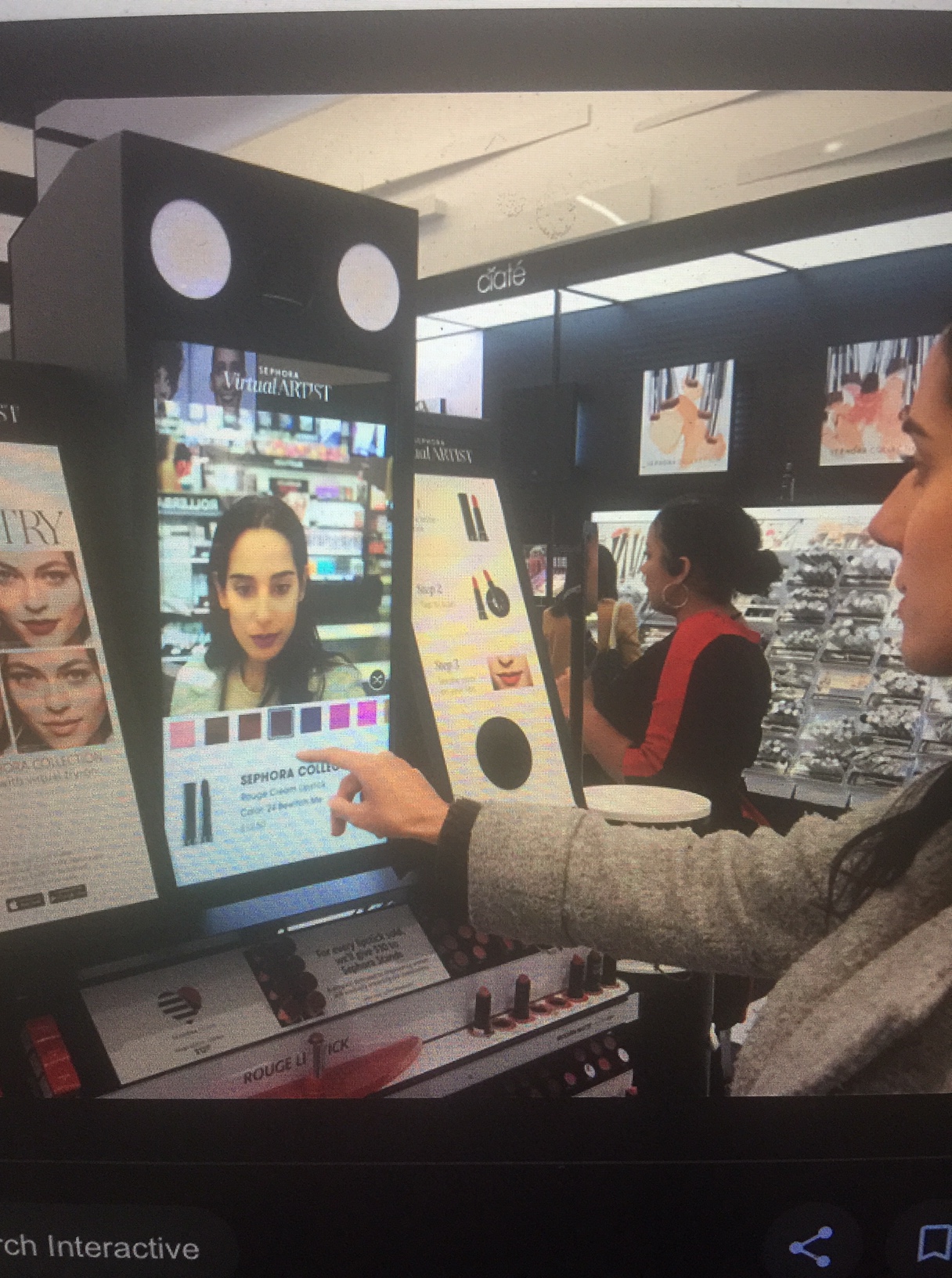
“The future of beauty is here. Bringing virtual reality technology to the beauty industry, Sephora’s makeup app uses facial recognition to empower customers to try on products anywhere. ” Sephora’s Virtual Artist brings technology to the beauty world, with an App, a website, and in store display.
I went shopping with my Mom yesterday at Sephora and we discovered the Sephora Visual Artist (shown above). Unfortunately, the Visual Artist is limited to eyes, lips, and cheeks- it does not show how foundation will look. In addition to product try on, the Visual Artist even shows you tutorials on your own face- the Visual Artist determined my face shape is square and showed me exactly where I need to apply contour and highlight. The best part is you can take a Sephora Selfie and send it to yourself, friends, or family via text message!
Tonight, I uploaded a photo to Visual Artist on the webpage: https://sephoravirtualartist.com/landing_5.0.php?country=US&lang=en&x=23.253.173.143:mfapi-705141-840879-804348&skintone=¤tModel=-1. . Through the App and Webpage, you can try out different brands- the Visual Artist in store only shows Sephora Collection.
I have been trying out new products from the luxury of my bed now for twenty minutes. The Virtual Artist allows me to try on hundreds of colors in minutes. I have always found picking lipsticks challenging. I believe I have found a the perfect pink lipstick I would like to try in store- Lancome 331. I have also found a Sephora Collection Blush palette for $20 that looks promising. These are both products I would not have tried if not for the Virtual Artist.
Sephora Virtual Artist gives women a launching off point for trying new colors and products. While I love trying products on the comfort of my home, I still firmly believe I need to go to the store and try out the products. When I have time tomorrow, I will try out the lipstick and blush palette and report back if the technology works!


Love this article. I want to down load the app, how hard to down load. It was so much fun
Sent from my iPad
>
LikeLike